Local-first Git client · Ubuntu · macOS · Windows

Your repositories,
in a new light.

A fast, lightweight Git GUI that shells out to the same git you already trust. One window, browser-style tabs, a branch-aware history graph and a real embedded terminal — built on Tauri + Rust.

Free download · ~10 MB binary · uses your system git, hooks & credentials

GitLunex history graph with the embedded terminal open
  • Tauri v2
  • Rust
  • React 18
  • TypeScript
  • Tailwind v4
  • xterm.js
  • System git
  • Zustand
3
platforms — Ubuntu, macOS & Windows
~10MB
tiny Tauri binary, low memory
0daemons
no background services or indexers
100%
your git config, hooks & credentials

Everything, in one window

Built for the way you actually use Git.

01

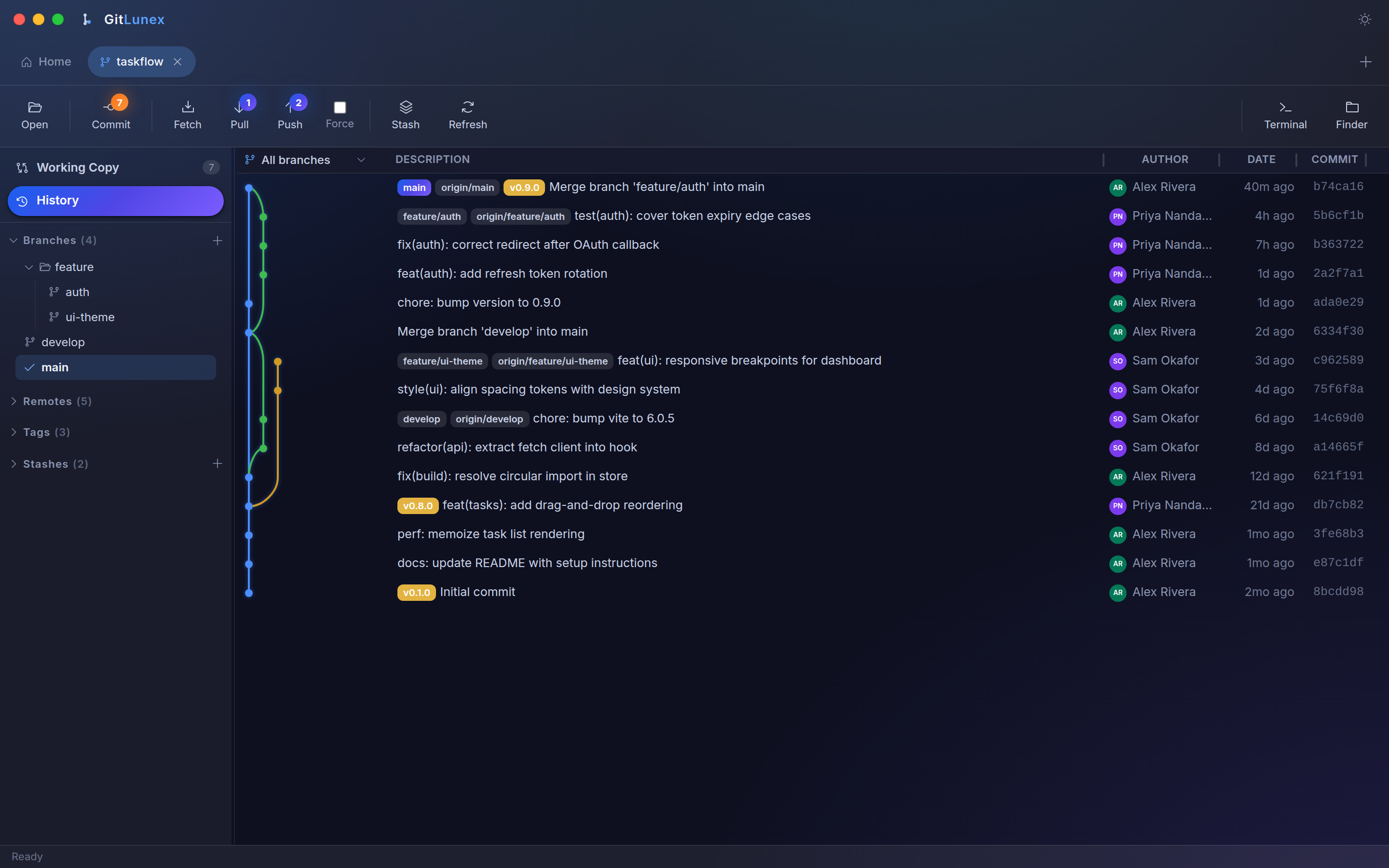
A branch-aware history graph

See every branch, tag, remote and stash across all refs in one clean graph. Colored lanes, ref pills and ahead/behind badges make the shape of your history obvious at a glance.

  • Graph across all refs, up to 500 commits
  • Per-commit changed files & diffs
  • Multi-select a range to compare
GitLunex commit history graph
02

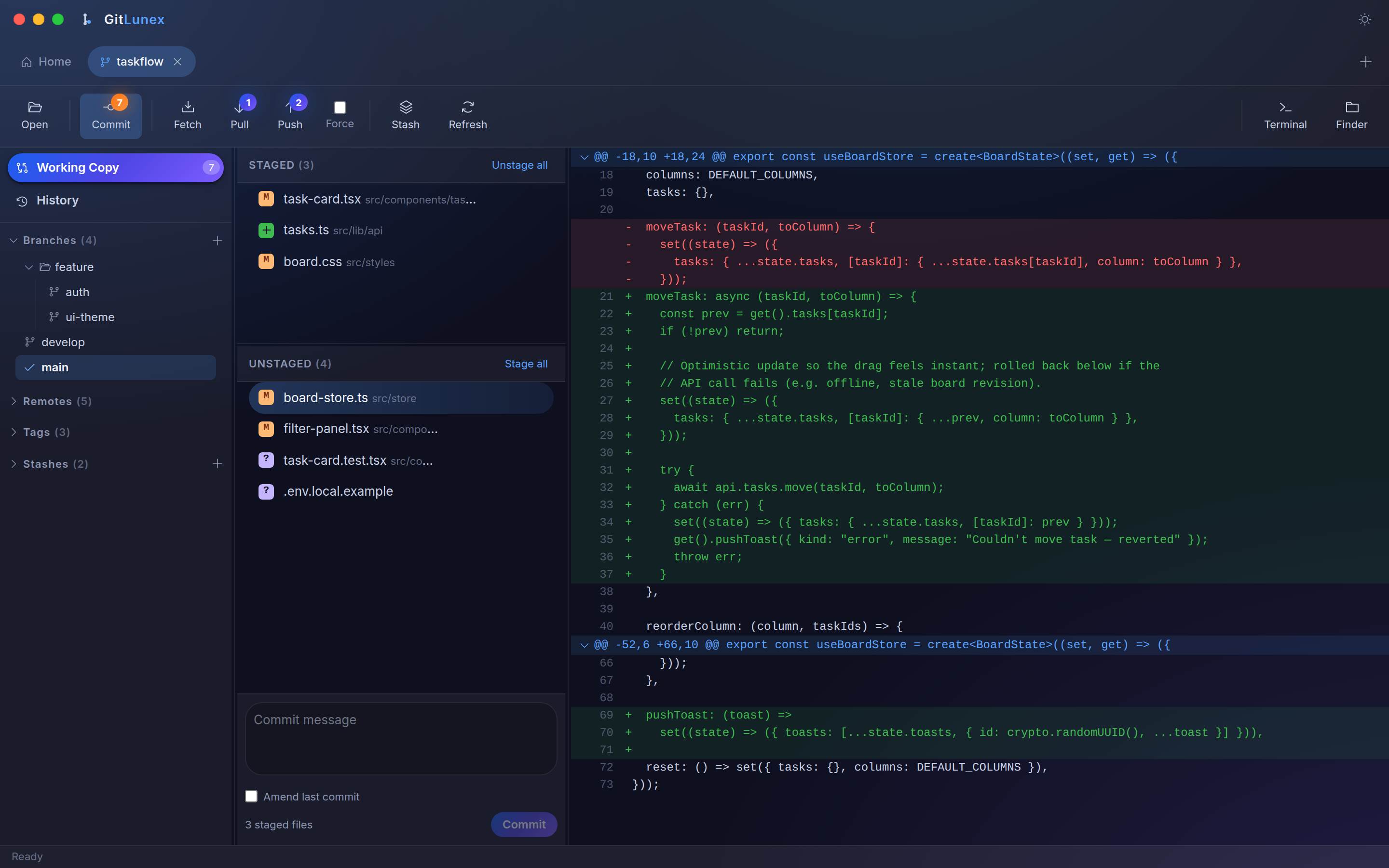
Stage, diff & commit with flow

Staged, unstaged and untracked files sit side by side with a live diff preview. Stage a file, review the hunks, write a message and commit — Ctrl/Cmd+Enter and you're done.

  • Stage / unstage / discard per file
  • Live syntax-highlighted diffs
  • Amend the last commit in a click
GitLunex working copy with staged and unstaged changes
03

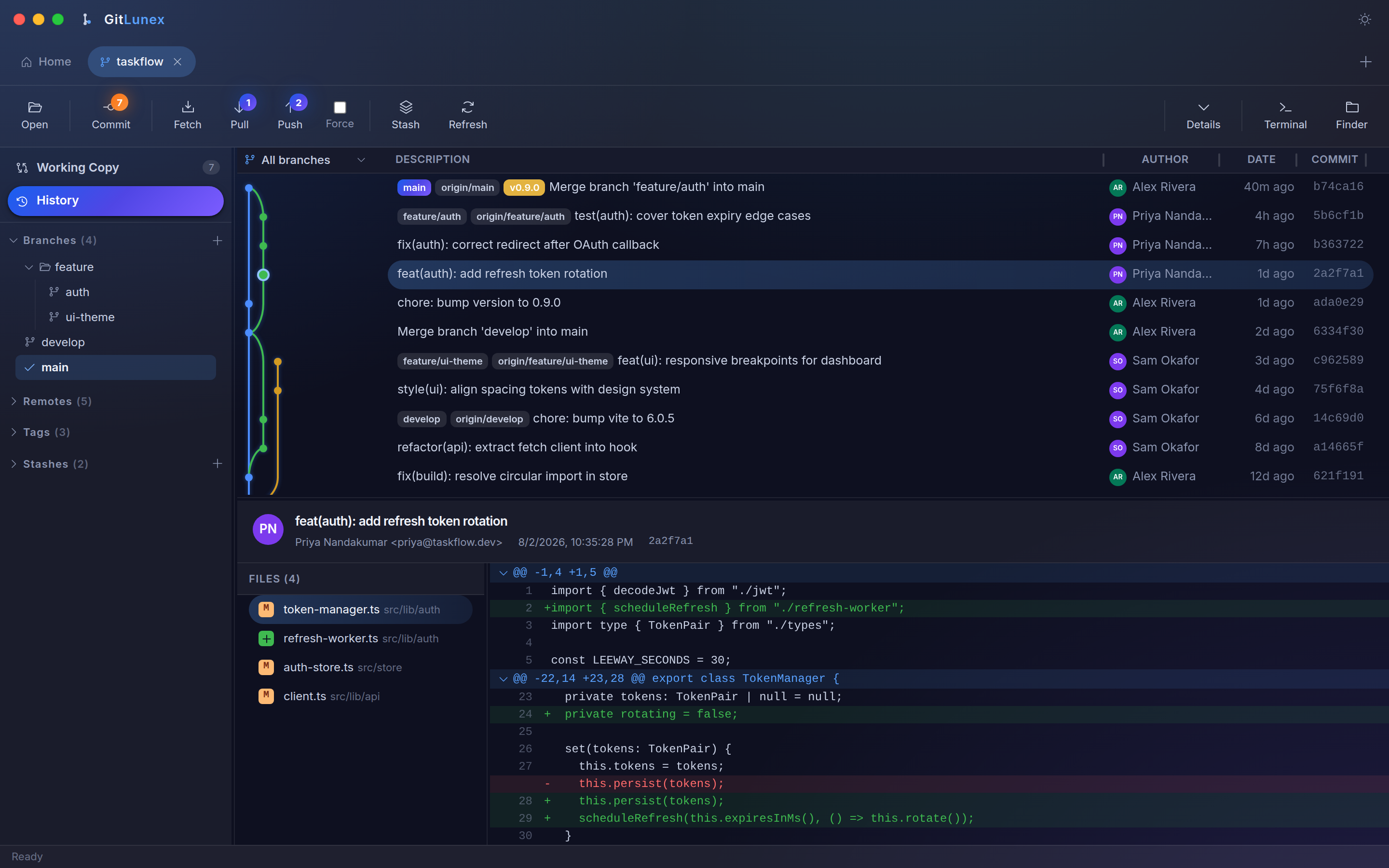
Read every change like a story

Click any commit to see its files and a crisp unified diff — additions and deletions clearly marked, line numbers aligned. History stops being a wall of hashes and starts telling you what happened.

  • Per-file diffs for any commit
  • Export or apply a range as a patch
  • Reset, tag or rebase from the graph
GitLunex commit diff view
04

A real terminal, built right in

Toggle a full PTY shell rooted at the repo — powered by xterm.js — without ever leaving the window. Drop to the command line for anything the GUI doesn't cover, then jump straight back to the graph.

  • One interactive shell per repo tab
  • Pop out to your system terminal or file manager
  • Cross-platform, real PTY
GitLunex embedded terminal

One window, every repo

A tabbed workspace that keeps up with you.

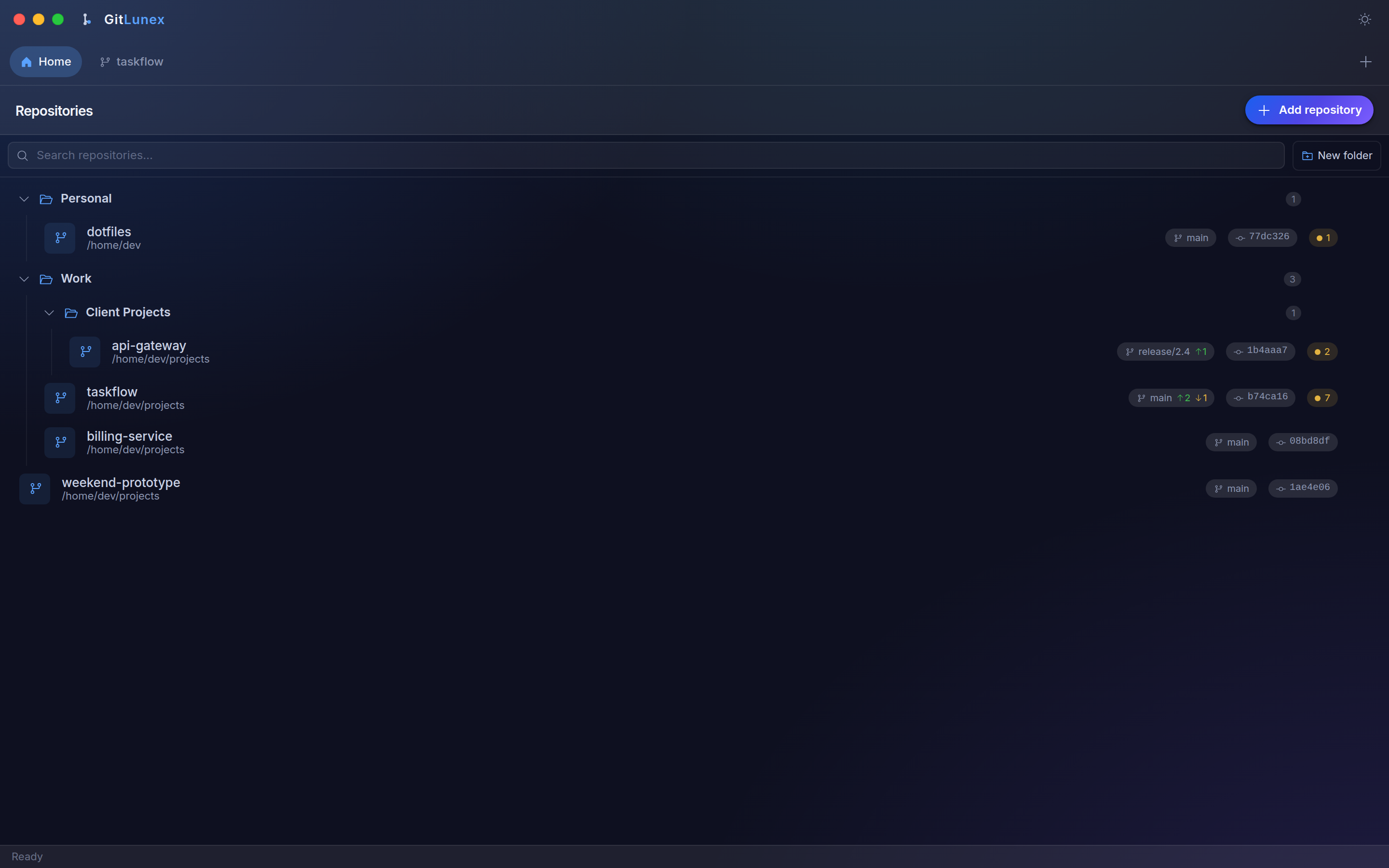
A pinned Home launcher organises your repositories into nestable folders. Open each one as a browser-style tab — drag to reorder, middle-click to close, and every tab remembers its scroll, selection and terminal.

GitLunex repository organizer with folders
Ctrl/⌘TOpen a tab
Ctrl/⌘WClose active tab
Ctrl/⌘TabCycle tabs
Ctrl/⌘1–9Jump to tab

The full toolbox

Sourcetree-class features, minus the weight.

01

Working copy

Staged, unstaged & untracked lists with instant diffs.

02

Commit

Write, amend and commit staged changes in a keystroke.

03

History graph

Branch-aware graph across every ref in the repo.

04

Branches, remotes & tags

Create, checkout and delete from the sidebar.

05

Remote sync

Fetch, pull & push with live ahead/behind badges.

06

Interactive rebase

Reorder, squash & reword with an in-app conflict editor.

07

Stash

Push, pop, apply or branch your work-in-progress.

08

Embedded terminal

A real PTY shell per tab, plus system-tool shortcuts.

09

Repository organizer

Nestable folders and drag-to-organise on Home.

Why it feels fast

Native speed, because it isn't a browser in disguise.

The shell is Tauri v2 — a small Rust binary instead of a bundled Chromium. Git operations shell out to your system git and are parsed in Rust, so every repo works exactly as it does on the command line — hooks, config, credential helpers and all.

Small & light

A ~10 MB install with a low memory footprint.

Your git, unchanged

No reimplementation — it drives the real CLI.

Cross-platform

One codebase for Linux, macOS & Windows.

Get started

Download GitLunex.

Grab the installer for your platform below. Make sure git is installed — GitLunex drives your system git.

All versions & older releases

macOS builds are ad-hoc signed — on first launch run xattr -rd com.apple.quarantine /Applications/GitLunex.app.